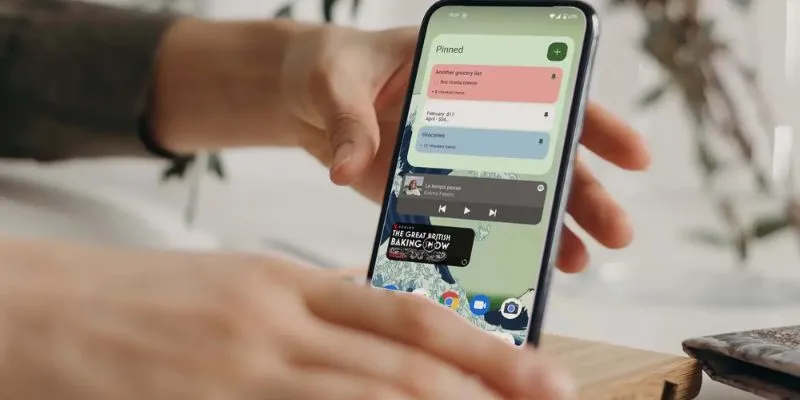
Android widgets are powerful tools that can improve your productivity by offering quick access to essential functions and information directly from your home screen. With countless widgets available, it can be challenging to identify which ones will truly boost your efficiency. In this blog, we’ll explore some of the best Android widgets designed to help you stay organized, manages your time effectively, and streamline your daily tasks. By integrating these widgets into your workflow, you can optimize your Android experience and maximize your productivity. Are you looking to advance your career in Android? Get started today with the Android Training in Chennai from FITA Academy!
Best Android Widgets for Productivity
Google Keep: Stay Organized with Notes and Lists
Google Keep is a versatile widget that allows you to create and manage notes and to-do lists effortlessly. With its user-friendly interface, you can quickly jot down ideas, set reminders, and categorize your tasks. The widget can display your most recent notes or lists right on your home screen, ensuring that important information is always within reach. By integrating Google Keep into your daily routine, you can keep track of your tasks and stay organized without having to open multiple apps.
Todoist: Manage Your Tasks Efficiently
Todoist is a robust task management widget that helps you organize and prioritize your to-dos. The widget displays your upcoming tasks and deadlines, providing a clear overview of your responsibilities. You can easily add new tasks, mark items as complete, and view your task list without navigating through the app. With Todoist’s widget, you can stay on top of your workload and make sure that nothing slips through the cracks.
Google Calendar: Never Miss an Appointment
Google Calendar’s widget is a must-have for managing your schedule effectively. It provides a snapshot of your upcoming events and appointments directly on your home screen. You can quickly add new events, view your daily or weekly agenda, and receive reminders for important meetings. By keeping your calendar visible, you can better manage your time and ensure that you’re always prepared for upcoming commitments. Learn all the Android Development and Become an Android Developer. Enroll in our Android Online Course.
Weather Widget: Plan Your Day with Confidence
A weather widget is an essential tool for planning your day and making informed decisions. By displaying current weather conditions and forecasts, the widget helps you prepare for changes in the weather and plan your activities accordingly. Whether it’s checking the temperature, precipitation, or wind speed, having weather information readily available on your home screen ensures that you’re always prepared for the day’s conditions.
Toggl: Track Your Time Effectively
For those who need to track their time and productivity, the Toggl widget is an invaluable tool. Toggl allows you to start and stop time tracking with a single tap, providing insights into how you’re spending your time. The widget displays your current or last tracked time entry, making it easy to stay on top of your tasks and manage your time efficiently. By using Toggl’s widget, you can gain valuables insights into your productivity and makes the data-driven decisions to improve your efficiency.
Spotify: Access Your Music Without Distractions
While not a traditional productivity tool, the Spotify widget can enhance your work environment by providing quick access to your favorite music and playlists. Music can improve focus and productivity, and the Spotify widget allows you to control playback, skip tracks, and adjust volume directly from your home screen. By integrating the Spotify widget, you can create a productive atmosphere and enjoy seamless access to your music while working.
Android widgets can significantly enhance productivity by offering quick access to essential functions and information. Integrating widgets like Google Keep, Todoist, Google Calendar, weather updates, Toggl, and Spotify into your home screen helps streamline tasks, manage time, and boost efficiency. Choosing the right combination of widgets can transform your Android experience, making it easier to stay organized and achieve your goals. Explore these options to optimize your productivity and make the most of your Android device. Looking for a career as an Android developer? Enroll in this Advanced Training Institute in Chennai and learn about Android techniques and tools from experts.
Read more: Android Interview Questions and Answers